


CAMS Exam Day Game Plan
CAMS Exam day is matter of excitement, nervousness, and mixed feelings. Like CAMS, Any global standardized exam can feel overwhelming, but knowing what to expect makes all the difference. If you’re preparing for the CAMS exam, understanding the test day process – from check-in to test submission – can help you stay calm and confident.
This article covers everything: essential documents, test center rules, security checks, and a clear overview of your CAMS exam day experience.
Essential Items and Documents for CAMS Exam Day
Essential Identification Documents
The most critical items you must bring are two forms of original, valid (unexpired) identification. Pearson VUE and ACAMS are extremely strict regarding documentation, and digital IDs or photocopies will not be accepted under any circumstances.
You must provide:
- Primary ID: This must be a government-issued ID that includes your name, a recent and recognizable photograph, and your signature.
- Secondary ID: This must include at least your name and signature, or your name and a recent recognizable photograph.
Crucial ID Rules to Remember:
- Exact Name Match: The first and last names on both forms of your ID must exactly match the first and last names you used when registering for the exam.
- International Testing: If you are taking the exam in a country or region where you do not hold a qualifying locally-issued primary ID, you are required to present an International Travel Passport from your country of citizenship as your primary ID, alongside your secondary ID.
- Expired IDs: Expired identification is strictly prohibited unless accompanied by valid, official renewal papers.
- Missing Signatures: If your government-issued ID has an embedded signature or is missing a visible one, you are still permitted to test as long as your IDs meet all other primary and secondary requirements.
What NOT to Bring – Prohibited Items
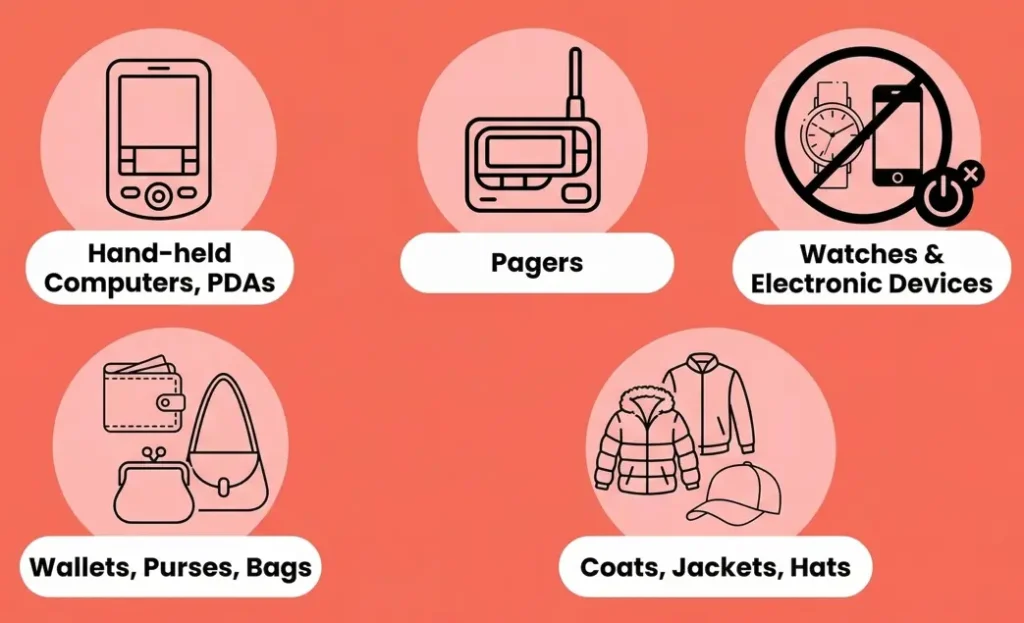
It is equally important to know what you cannot bring into the testing room, as possessing unauthorized items is grounds for immediate dismissal. You must store all personal items in a designated secure area provided by the test administrator or leave them in your vehicle.
If you refuse to store your personal items, you will be denied entry to the exam and will lose your entire test fee.
Items explicitly banned from the testing room include:
- Mobile phones, hand-held computers, PDAs, pagers, watches, and any other electronic devices. (These must be completely powered off before being stored in the secure area).
- Wallets, purses, bags, and eyeglass cases.
- Coats, jackets, and hats (non-religious head coverings are not allowed).
- Pens, pencils, books, and notes, unless explicitly authorized for your specific test.
- Firearms and other weapons.
You may not wear barrettes or hair clips wider than 1/4 inch (1/2 centimeter), headbands or hairbands wider than 1/2 inch (1 centimeter), or any removable jewelry larger than 1/4 inch (1/2 centimeter) wide into the testing room
Valid Government-Issued Photo ID Requirements
Your photo ID is the most critical document on CAMS exam day. You must bring a valid, unexpired government-issued ID that exactly matches the name you used during registration. Small variations (like “Cathy” for “Catherine”) are often acceptable, but significant mismatches can lead to test denial.
Accepted IDs include:
- Passport
- Driver’s license
- National or military ID card
Private or student IDs are not accepted. Make sure your document is current and clearly shows your photo and signature.
Inside the CAMS Exam Room: Testing Environment and Workstation
When taking the CAMS exam at a physical Pearson VUE testing center, you can expect a highly controlled and strictly monitored environment designed to protect the integrity of the certification.
The testing environment is actively supervised to ensure no unauthorized assistance is given or received. Examination proctors will be present before, during, and after your test to enforce all rules and regulations. In addition to human oversight, the examination site is equipped with high-tech video cameras surrounding the testing area, and live audio recording is utilized throughout every examination session.
At Your Computer Workstation Once seated at your computer, you are given exactly three and a half hours to complete the exam. It is your responsibility to carefully read the directions displayed on the computer screen and listen closely to the proctor’s instructions.
- No Breaks: There are no scheduled breaks permitted during the 3.5-hour testing period. If you need to leave the testing room for an emergency or restroom break, you must first obtain the proctor’s explicit permission. Additionally, you are not allowed to ask the proctor any questions regarding the actual content of the exam.
- Immediate Results: You will not be kept waiting for your grade; your pass or fail results are generated and delivered immediately on your screen at the conclusion of the test.
- Handling Irregularities: If any technical issues or unusual incidents occur while you are at your workstation, the proctor will document the exact details by filing an official Center Problem Report.
Rules of Conduct and Submission Policies
Before submitting, review your answers carefully. Once you hit “Submit,” your session ends permanently – you cannot reopen it. But before submitting your test, if you have enough time you can go back to questions that you have marked for review.
Do not keep so many quesitons for later review as it might kill your valuable time. A standard 15-20 minutes should be allocated at least for question reviews. And always try to keep no more than 10 questions for review.
After submission, you’ll receive instant results on-screen and via email. Keep this digital record for your personal documentation.
Final Tips: Stay Focused and Finish Strong
Like any standardized exam, the CAMS exam day experience can feel intense. A 3.5-hour test is both mentally and physically demanding – but remember, you’ve prepared for this moment.
Even if the first few questions seem difficult, don’t lose confidence. Stay composed, manage your time, and give your best until the end.
Success in the CAMS exam isn’t about luck – it’s about preparation and perseverance. Believe in yourself and finish strong!
Frequently Asked Question (FAQ)
If you don’t pass on your first attempt, you can retake the exam after a 30-day waiting period. You’ll need to request a new invoice, pay the retake fee (US$299 private sector / US$199 public sector), and book a new test date.
You’ll get your result immediately after finishing the exam. It will simply show pass or fail. Results are only provided at the test center (not by phone or email).
Bring two valid government-issued IDs:
- Must be original (no copies or digital)
- Must include your signature
- At least one must have a recent photo
- Names must match your registration exactly
Yes, both options are available. You can take it at a Pearson VUE testing center or choose online proctoring (if available in your location). For online exams, make sure your system meets all technical requirements.